Samsung Washing Machine Service Center in Nandanam
Need a Samsung washing machine service center in Nandanam for a washer that will not start, drain or spin? Call 7868874321 to discuss the problem, check support for your model and enquire about a repair visit.
Describe what happens when you start a wash, whether water remains in the drum and any message on the display. Before booking, ask about the inspection charge, available appointment time and how the repair estimate will be provided.
Call for service enquiries: 7868874321
Samsung Washing Machine Repair in Nandanam
A repair enquiry is more useful when it starts with the exact symptom rather than a guess about which part needs replacing. Tell us whether the machine stops before filling, during washing, while draining or at the final spin, and mention whether the fault happens every time.
Call for enquiries about:
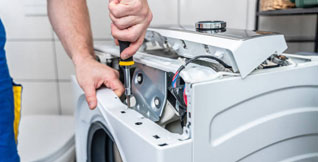
Starting problems: The machine does not switch on, the controls do not respond or the selected programme does not begin.
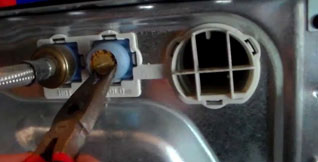
Water-filling problems: Water enters slowly, does not enter or continues entering unexpectedly.
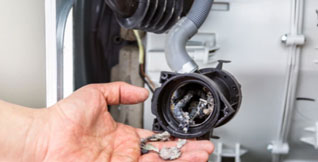
Drainage problems: Water remains inside, the cycle stops before spinning or a drainage message appears.
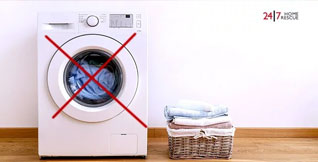
Spin problems: Clothes remain unusually wet, the spin cycle does not complete or the machine repeatedly pauses.

Noise and movement: The washer makes an unfamiliar sound or moves during operation.
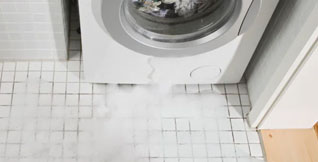
Leakage and cleaning concerns: Water appears around the appliance, or you need advice about cleaning and maintenance.
Keep your model number and a description of the fault ready when you call 7868874321. Confirm whether your appliance and requested work can be supported before agreeing to an appointment.
Front-Load, Top-Load and Semi-Automatic Service Enquiries
The booking discussion should match the appliance you actually own. Share the washing machine type, capacity and model number rather than relying only on a feature name printed on the front.
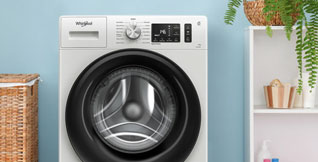
Samsung Front-Load Washing Machines
For a front-load repair enquiry, describe any door-opening difficulty, interrupted cycle, water left inside or noise during spinning. Mention whether the problem began after installation, relocation or a change in normal use, and ask whether an on-site assessment is available.
If the machine has an EcoBubble, Digital Inverter or other feature label, include that information alongside the model number. Confirm model support and replacement-part availability before booking rather than assuming every version uses the same components.
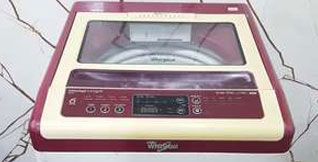
Samsung Top-Load Washing Machines
For a top-load washer, explain whether the issue affects filling, washing, draining or spinning. Mention any lid-related message, repeated pause or unusual movement, and read the display message exactly as it appears.
Samsung explains that a Ub message on its top-load washing machines indicates an unbalanced load, which can be associated with unevenly distributed heavy items or an uneven floor. Tell the person handling your enquiry whether the message returns after following your model’s user instructions.
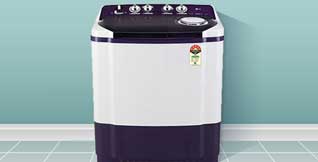
Samsung Semi-Automatic Washing Machines
If you have a semi-automatic model, explain whether the wash tub, spin tub or both are affected. Describe what happens when you operate the relevant control, and mention any drainage difficulty or unusual sound.
Ask whether service is available for your specific model before arranging a visit. For an older appliance, also ask how parts availability and the likely repair cost will be assessed.
Common Samsung Washing Machine Problems
The details below help you describe a fault clearly when booking. They are not a remote diagnosis or a recommendation to replace a particular component.
Washing Machine Not Starting
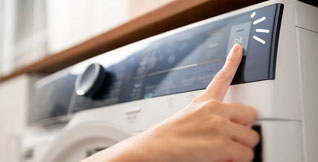
Does the display stay blank, or does the machine switch on without beginning the wash? Tell us which situation applies, what you see on the controls and whether a message appears.
Do not remove covers, open the control panel or attempt internal electrical work yourself. If you notice smoke, a burning smell or repeated electrical tripping, stop using the appliance and seek professional assistance.
Water Not Entering the Machine
Samsung identifies 4C or 4E as a water-supply error and recommends checking that the connected water tap is open and the supply hose is not bent or kinked. Read your model's instructions before attempting any further maintenance.
When calling, say whether no water enters at all or filling is simply slower than usual. Mention any recent water interruption or installation change so the enquiry starts with the relevant information.
Washing Machine Not Draining
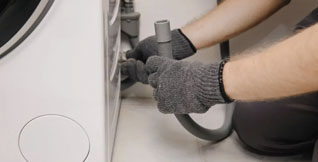
Samsung identifies 5C or 5E as a drainage error and includes the drain-hose route and, for applicable front-load models, the debris filter among its troubleshooting checks. Report whether water remains inside and whether the error appears before the spin cycle.
Do not open a filter while the machine contains hot water; Samsung warns that water from a recent hot wash can cause injury. If you are unsure how to drain the appliance safely, leave the procedure to a technician.
Washing Machine Not Spinning
Explain whether the drum never begins spinning, starts and stops repeatedly or finishes with the clothes still unusually wet. Include any display message and say whether the problem occurs with every load.
For a top-load model displaying Ub, consult Samsung’s model-relevant guidance about load balance before assuming a major component has failed. If the problem continues, request an assessment rather than approving a replacement part based only on the symptom.
Water Leakage, Noise or Repeated Stops
For a leakage enquiry, note where water first becomes visible and at which stage of the wash it appears. Do not move a heavy machine or reach underneath it to investigate.
For noise or repeated stopping, describe the sound and when it occurs. A short recording taken from a safe distance may help explain the issue, but do not restart an appliance showing signs of an electrical or serious mechanical fault just to record it.
Samsung Washing Machine Error Codes: What to Report
Read the complete message from the display instead of guessing from memory. Include the model number, the programme you selected and the point at which the machine stopped.
| Display message | Manufacturer guidance | Information to share when calling |
|---|---|---|
| 4C / 4E | Water-supply problem. | Whether water enters, whether the tap is open and when the message appears. |
| 5C / 5E | Drainage problem. | Whether water remains in the drum and whether the cycle stops before spinning. |
| Ub on a top-load model | Unbalanced-load indication. | What was being washed and whether the message keeps returning. |
For any other message, quote the code exactly and refer to the manual for your appliance. Do not use an error-code description as proof that a particular part must be replaced.
Service Charges and Repair Estimates
Ask for the applicable inspection charge when you call 7868874321. Before confirming a visit, clarify whether that charge remains payable if you decide not to proceed with the repair.
Use these questions to understand the proposed cost:
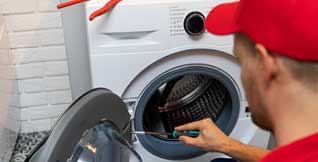
Inspection: What is the visit or diagnosis fee, and is it adjusted against approved repair work?

Labour: What work does the labour charge include?

Replacement parts: Which part is proposed, what does it cost and what type of replacement is being supplied?
Additional charges: Are transport, taxes, workshop work or a return visit charged separately?
Repair approval: Will you receive the total estimate before work begins?
Warranty: Is any parts or workmanship warranty included, and what are its written conditions?
For a repair involving substantial expense, ask how the proposed work compares with the condition and age of your machine. Make the decision after receiving an assessment and estimate, not from a generic price quoted for a different model.
How to Enquire About a Repair Visit
Start by calling 7868874321 with your appliance details and Nandanam address. Use the conversation to confirm the service scope and charges before reserving a time.
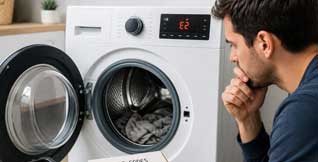
Describe the appliance and fault. Share the model number, washing machine type, displayed code and symptoms.

Confirm location and availability. Give your street, building details, postcode and a nearby landmark, then ask about the available appointment window.
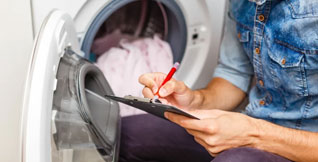
Clarify the inspection terms. Ask about the visit fee, cancellation terms and whether assessment will take place at your address.
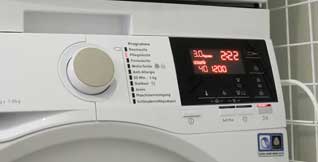
Review the proposed repair. Request an explanation of the findings, parts required and total estimated cost before authorising work.
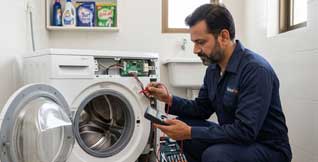
Check completion details. Ask how the repaired function will be tested and request a record of the work, charges and any applicable warranty.
When arranging access, mention apartment entry rules or any restrictions on reaching the appliance. Do not disconnect or relocate the washing machine unless the person arranging service specifically advises an appropriate, safe preparation.
Booking for Your Nandanam Address
Provide your complete address rather than only the locality name when enquiring about service in Nandanam. Confirm coverage for your particular street and ask whether an on-site visit or another arrangement is required.
If your address is in an adjoining locality, confirm availability before making a booking. A location keyword on a webpage should not be taken as confirmation of a walk-in branch or a guaranteed arrival time.